What's Wayground?
Wayground (formerly Quizizz) is an education platform helping teachers drive student outcomes with tools to create content like assessments & lessons, track student understanding, content libraries and more.
Our assessments tool supports around 20+ question types, and our premium plan gives access to premium question types like Labeling, in addition to unlimited assessment creation.
Problem statement
Improve the creation and consumption experience of premium question types across the platform to build trust in our premium offering.
Labeling is a key question type for Science, Biology and Social studies and it had the highest drop of rates of all.
How Labeling QT works
Labeling is used to ask students to label diagrams and images with the correct annotations.
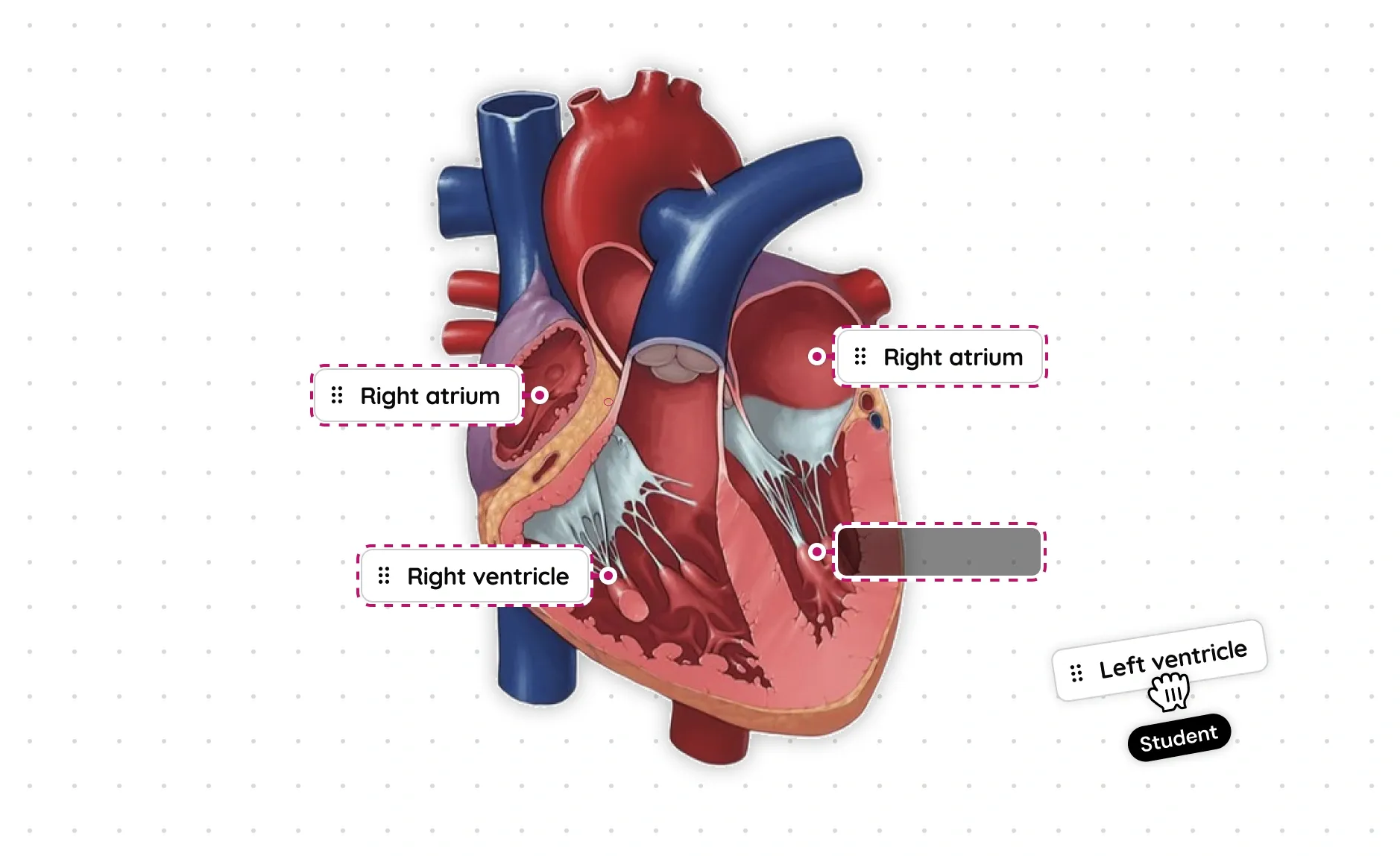
Old labeling experience
The old creation experience was a WYSIWYG-style that mimicked the student side interface.
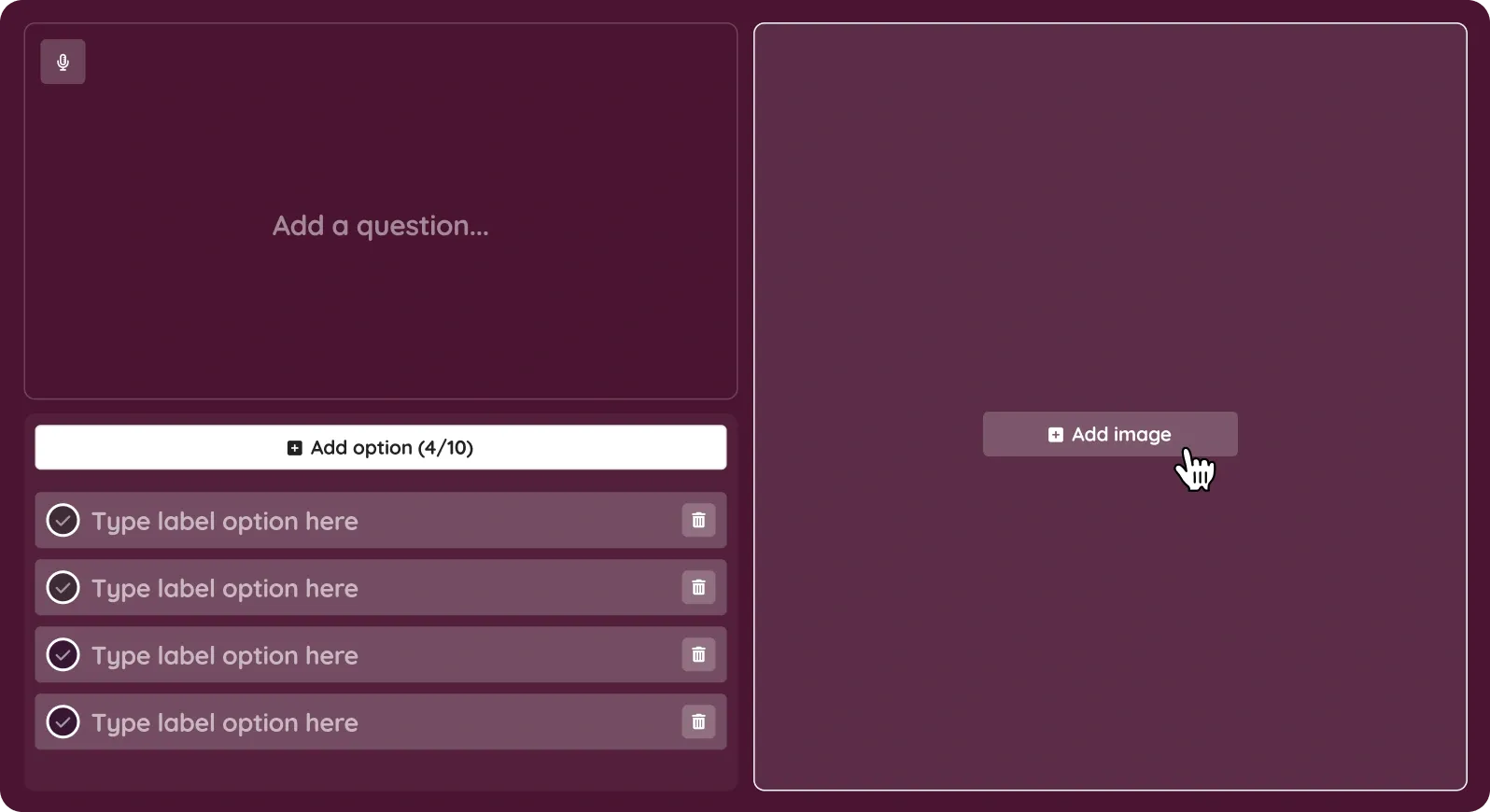
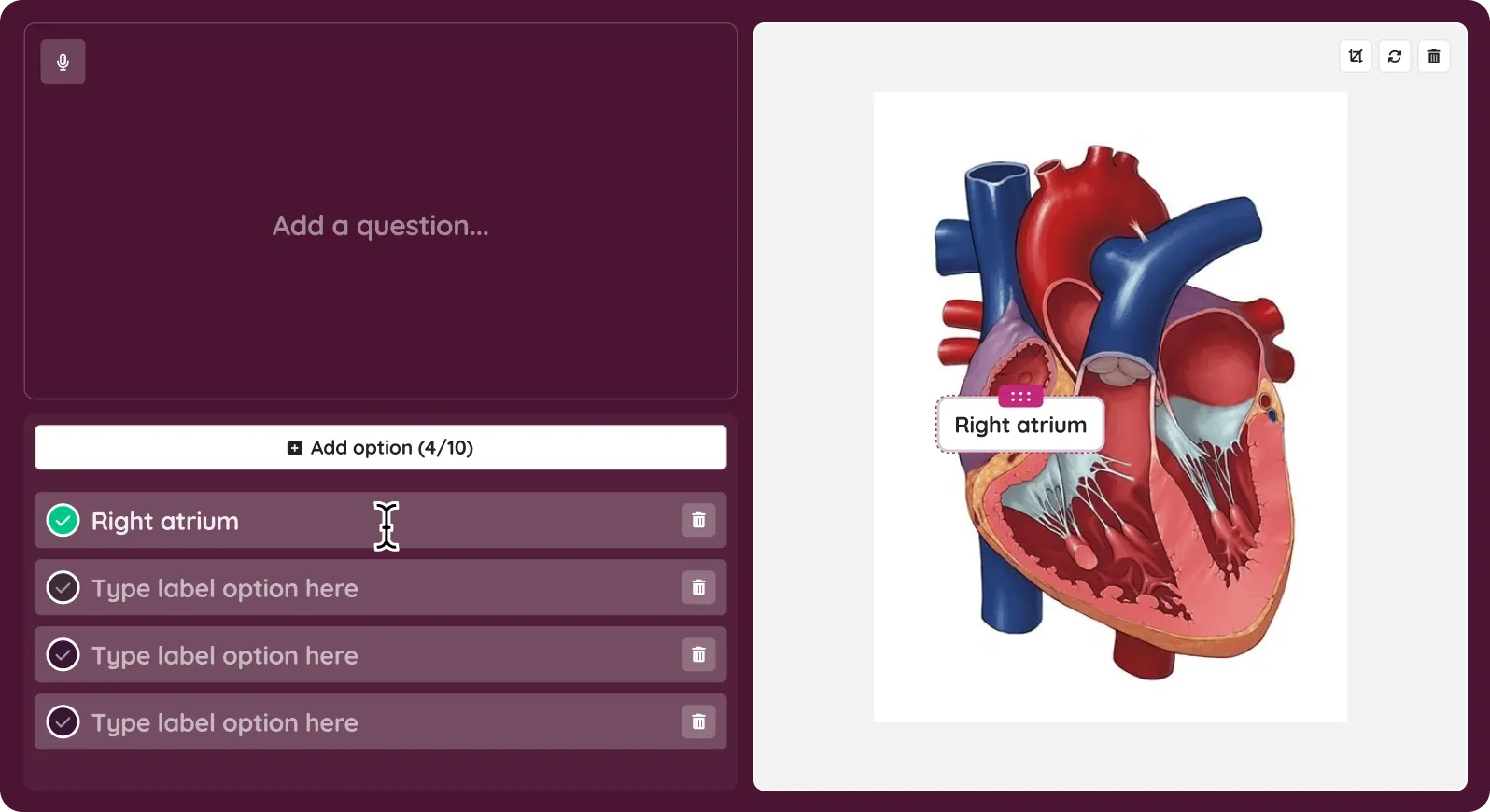
Investigation and findings
Before getting started, we exhaustively investigated problems with the teacher creation and student consumption experience.
Watching 200+ Hotjar recordings of teacher and student usage. These were great for observing teachers in the wild.
Having exploratory calls where we observed relevant subject teachers create a labeling question from scratch.
Looking at analytics to understand funnel drop-offs and patterns in labeling content across our public library.
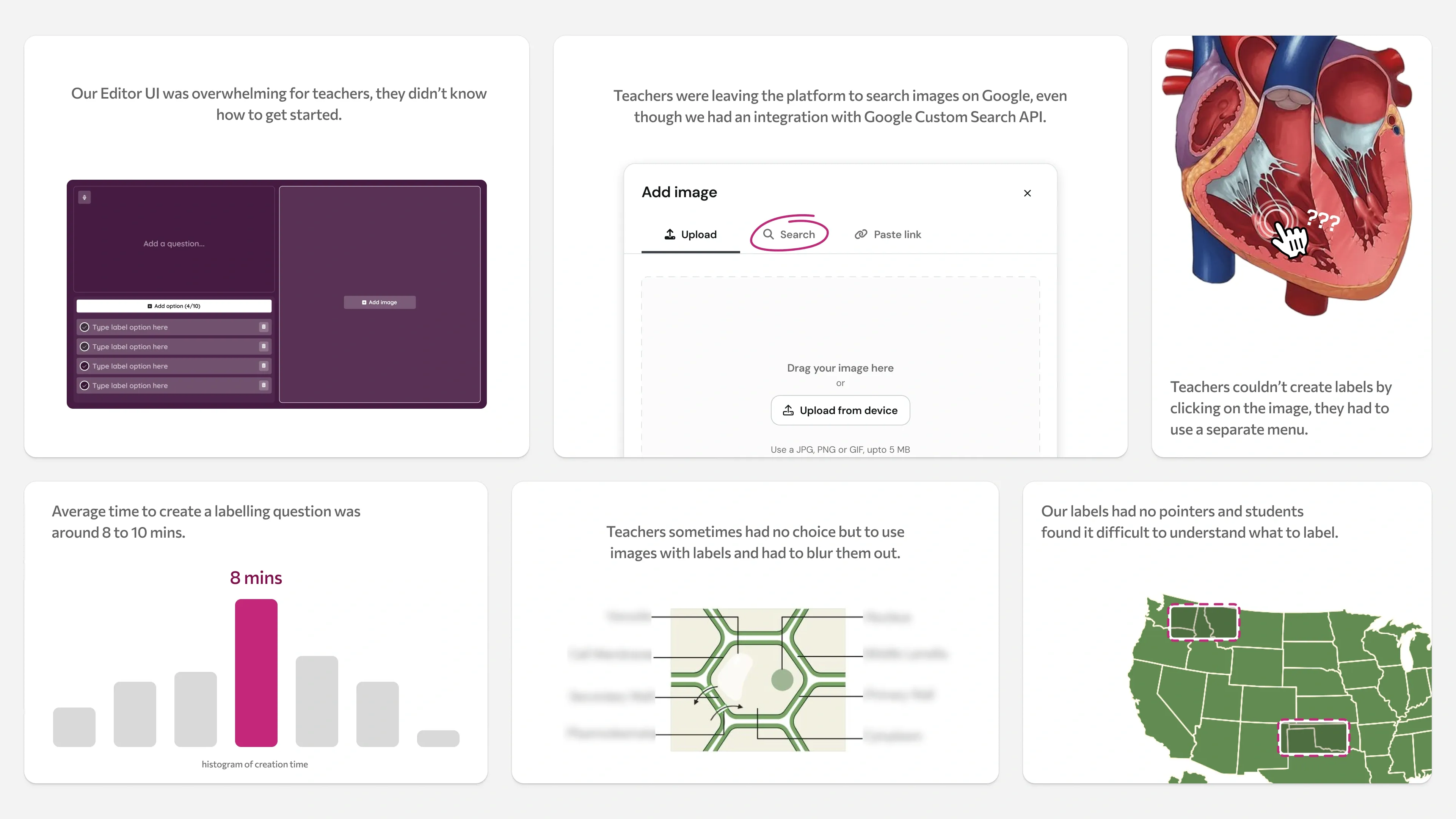
Below were some core findings from our investigation.
Taking a step back
One key observation from Hotjar and research calls was, teachers almost always start by finding or picking an image. But our WYSIWYG editor dumped everything in front of the teacher. Should image selection be the first step? What about image generation?
It was 2024, image generation models were expensive, imperfect and difficult for teachers to prompt, they were still getting used to AI.
So we decided to help teachers find the right image instead, and tore down the image selection modal into a simpler layout that emphasised Google Image Search.
Experimenting with vision models
We starting prompting to see how much intent LLMs can infer from an image selected by a teacher, and figured that we can generate labels easily.
But so many different labels can be relevant for the same image.
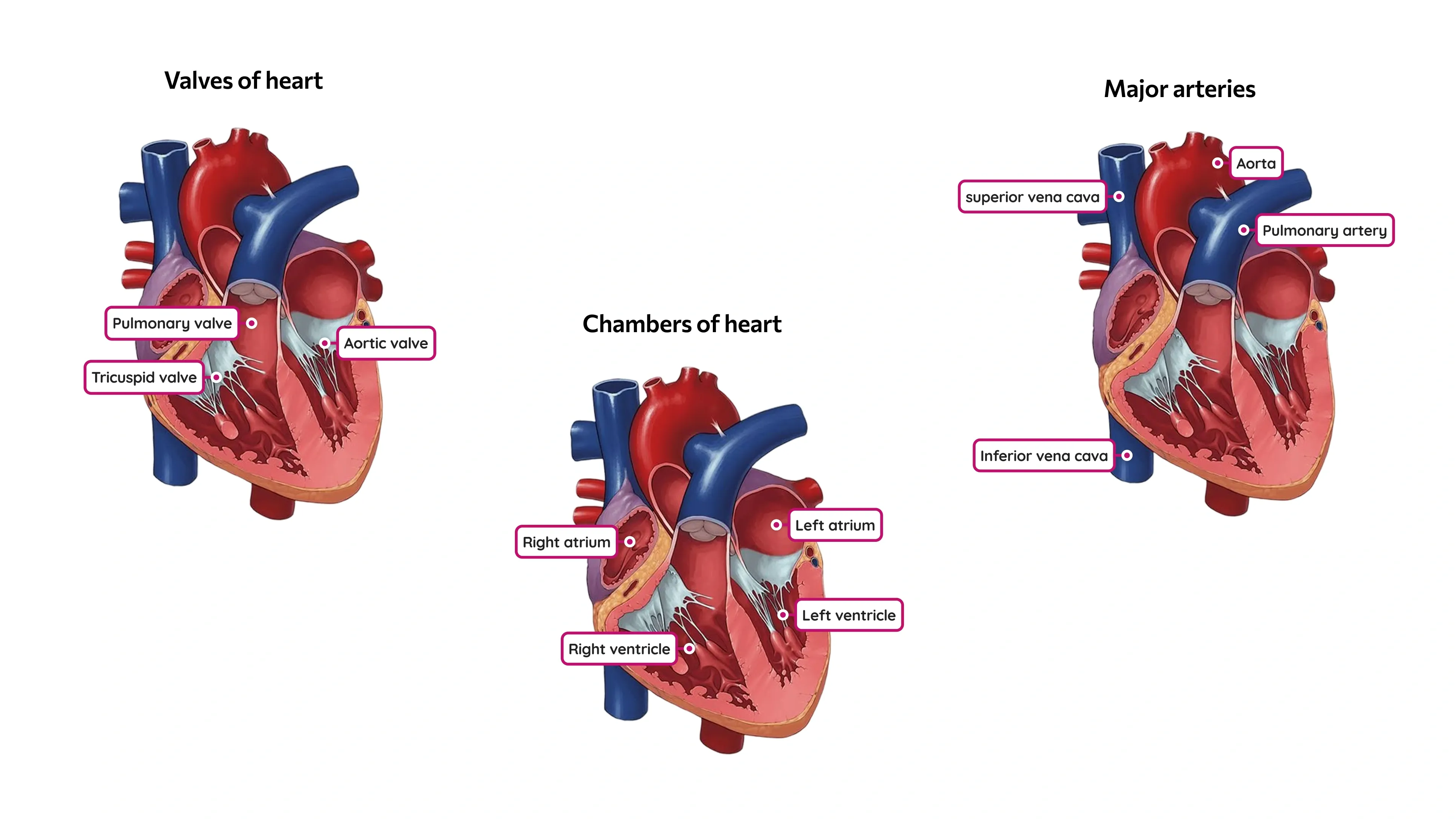
Image wasn’t enough, we needed to capture more intent from the teacher on “what concepts do they want to assess the student on?”
Our early iterations tried solving this by asking for a label category.
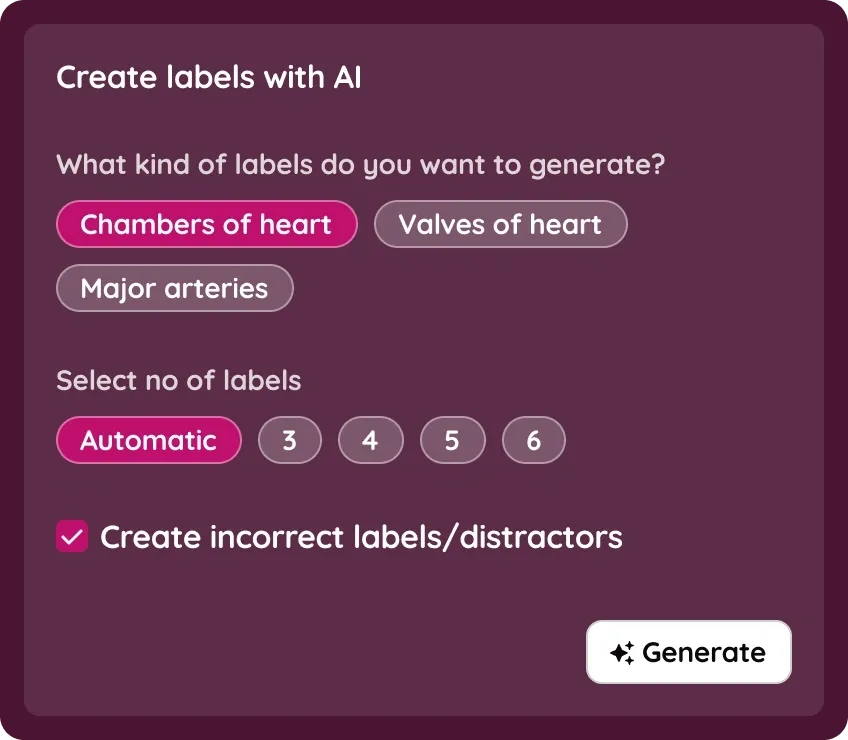
We started with asking teachers to provide the category of labels they want to generate, along with no of labels.
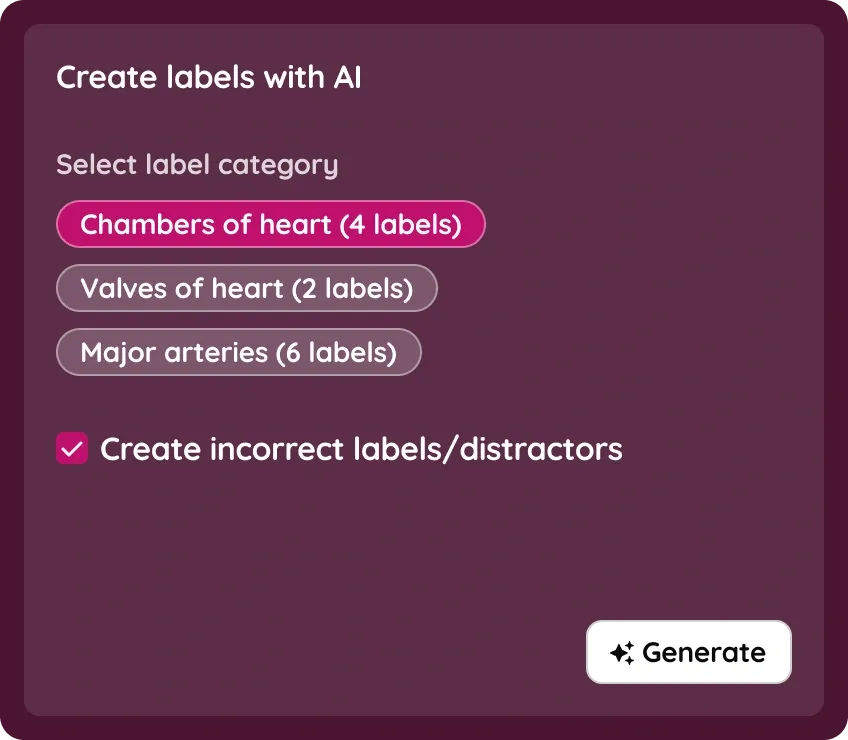
But we realised that no of labels and label category are closely associated. For example, “Chambers of heart” should ideally be 4 labels. It doesn’t make sense for it to be a choice, so we combined them.
I had this epiphany, Why not generate a set of questions that teacher can ask, after image selection step? Questions capture teacher's intent on what to ask perfectly, and teachers can preview the labels by hovering on the questions.
Below is the final interaction pattern we built for showing the generated results.
Improving label creation
LLMs aren't perfect and teachers should be able to edit labels and make final adjustments. We also wanted to solve for labels having a pointer.
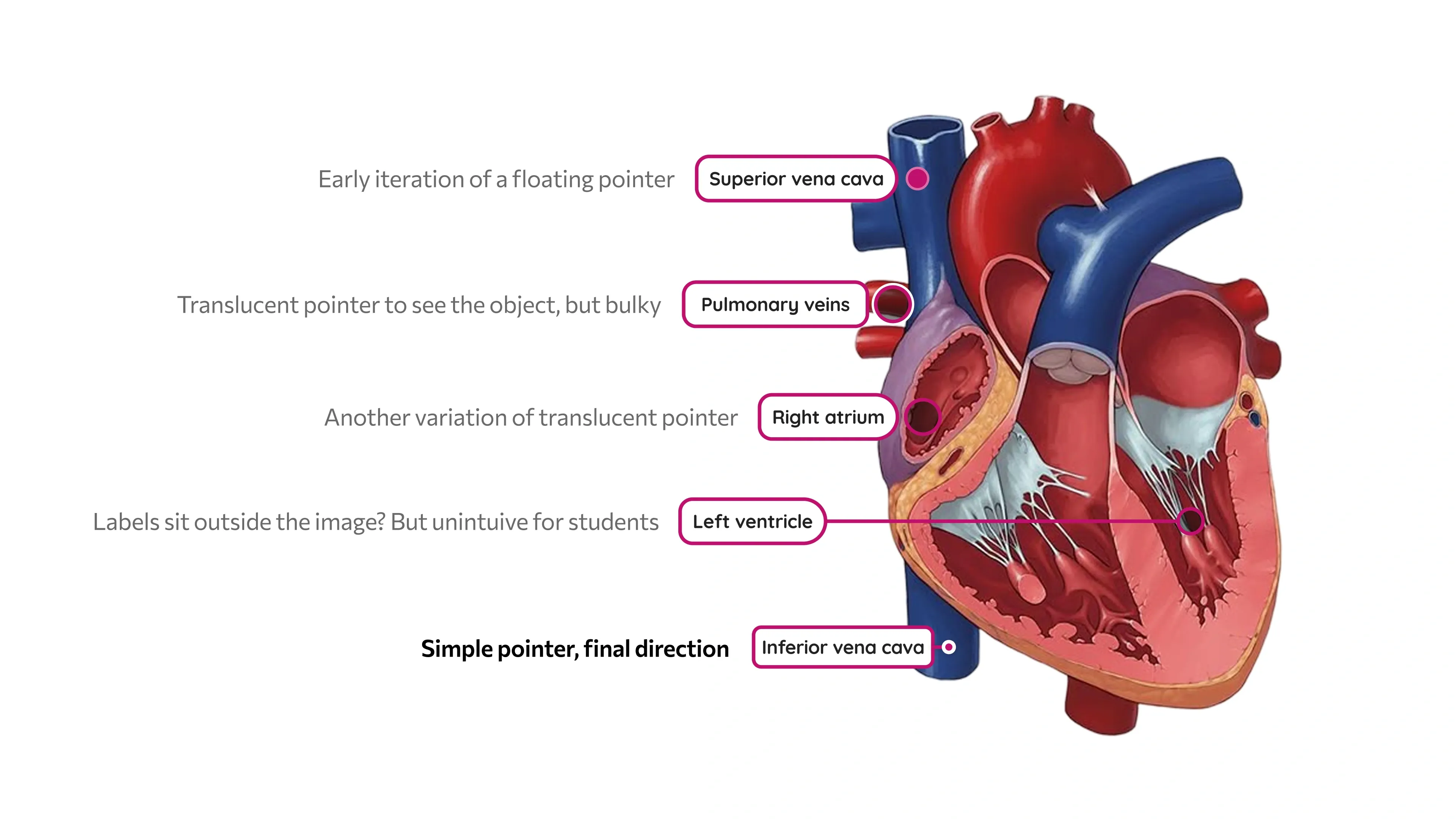
With a pointer on the label, we had to provide a setting to change label orientation for positional control. This is helpful when students have to annotate two or more objects close to each other.
I also made a cute animated SVG to onboarding users onto the "click to add label" interaction.
Impact and learnings
The redesign meaningfully improved the creation experience for Labeling.
- Question save rate increased from 48–52% to 75%.
- Average creation time reduced from around 8 mins to 5.5–6 mins.
- AI suggestions were accepted about 1 in 3 times.
- Labeling became a great sales demo of AI being deeply integrated into product workflow.
Something to note, the top of the funnel didn’t increase meaningfully in the short run as we did not shout about these changes outside the create flow. Creation like most platforms is for niche high-frequency users. Most Wayground users only used the public library content as-is, and marketing these changes would have only added platform noise.
This case study is a basic overview, not an end-to-end deep dive.